Accurate import costing for businesses that rely on landed cost clarity

Built import-first for landed cost accuracy and margin visibility. Learn more about true landed cost and how FlowIQ calculates it.

Solutions · Book Demo

Importer pain points

Most importers do not lose margin on sales volume. They lose margin on hidden landed costs, poor allocation logic, and delayed visibility. Supplier invoices, freight invoices, duty, and clearance charges are often spread manually across SKUs, and small errors compound across every shipment.

By the time finance reconciles true costs, pricing decisions were already made using incomplete numbers. That means teams unintentionally underprice products, overstock low-margin SKUs, and miss reorder windows for high-demand lines.

FlowIQ fixes this by giving importers one operating view from PO to receipt, with shipment-level and SKU-level cost attribution built into the workflow.

Why spreadsheets fail

Spreadsheets are flexible, but they are not durable import infrastructure. They break under version drift, handovers, and growing volume. Teams duplicate formulas, hardcode rates, and maintain separate files for pricing, stock, and shipment costing, which creates reporting mismatch.

Spreadsheet models also struggle with mixed container loads, split shipments, partial receipts, and FX variance across payment dates. These are exactly the cases that matter most for profitability.

FlowIQ replaces this with controlled allocation rules, auditable records, and live margin visibility connected to the same operational data your team already captures.

How FlowIQ handles freight, duty, clearance, FX

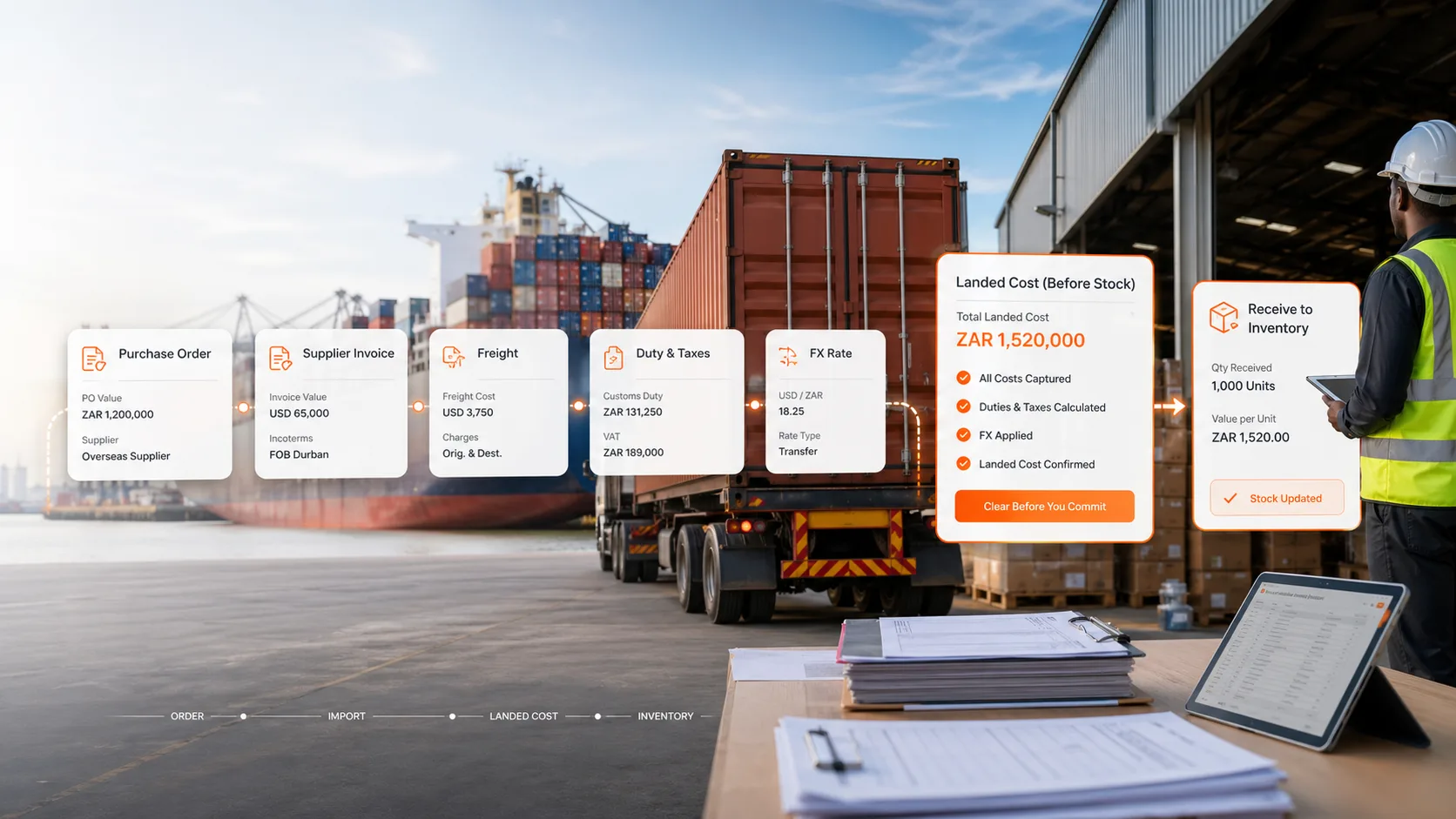
FlowIQ captures all shipment costs in one import job: supplier value, freight components, customs duty, port and clearing charges, insurance, and FX differences. Costs can be allocated using value, weight, CBM, or custom logic depending on your commercial model.

When stock is receipted, landed cost is applied at SKU level so inventory valuation and margin reporting stay aligned. No post-hoc patching required.

If you want a quick estimate first, start with the Landed Cost Calculator or Import Cost Calculator.

Workflow: PO → Import → Inventory → Margin

  1. Create and approve purchase orders with supplier terms and expected lead times.
  2. Track import jobs and attach freight, duty, and clearing charges as they occur.
  3. Receive stock with landed cost allocated per SKU and posted to inventory valuation.
  4. Monitor gross margin by product, shipment, customer, and channel in real time.
  5. Use ForecastIQ to plan reorders based on demand and lead-time risk.

FAQs

Can FlowIQ handle multi-currency imports?

Yes. FlowIQ supports FX-aware import workflows so you can include exchange-rate impact in landed cost and reporting.

Can we allocate by CBM and weight?

Yes. You can use multiple allocation methods depending on shipment structure and costing policy.

Will this replace our spreadsheet process?

Yes. Most clients move from manual spreadsheet costing to standardized import workflows in FlowIQ with auditable history.

Does FlowIQ integrate with Xero?

Yes. Journals and accounting data can be synced to keep finance and operations aligned.

See FlowIQ in Action

Get a guided demo focused on your workflow.

Book Demo