Add-onAutomate and extend
AI Auto CaptureReview-ready documents. Human-controlled outcomes
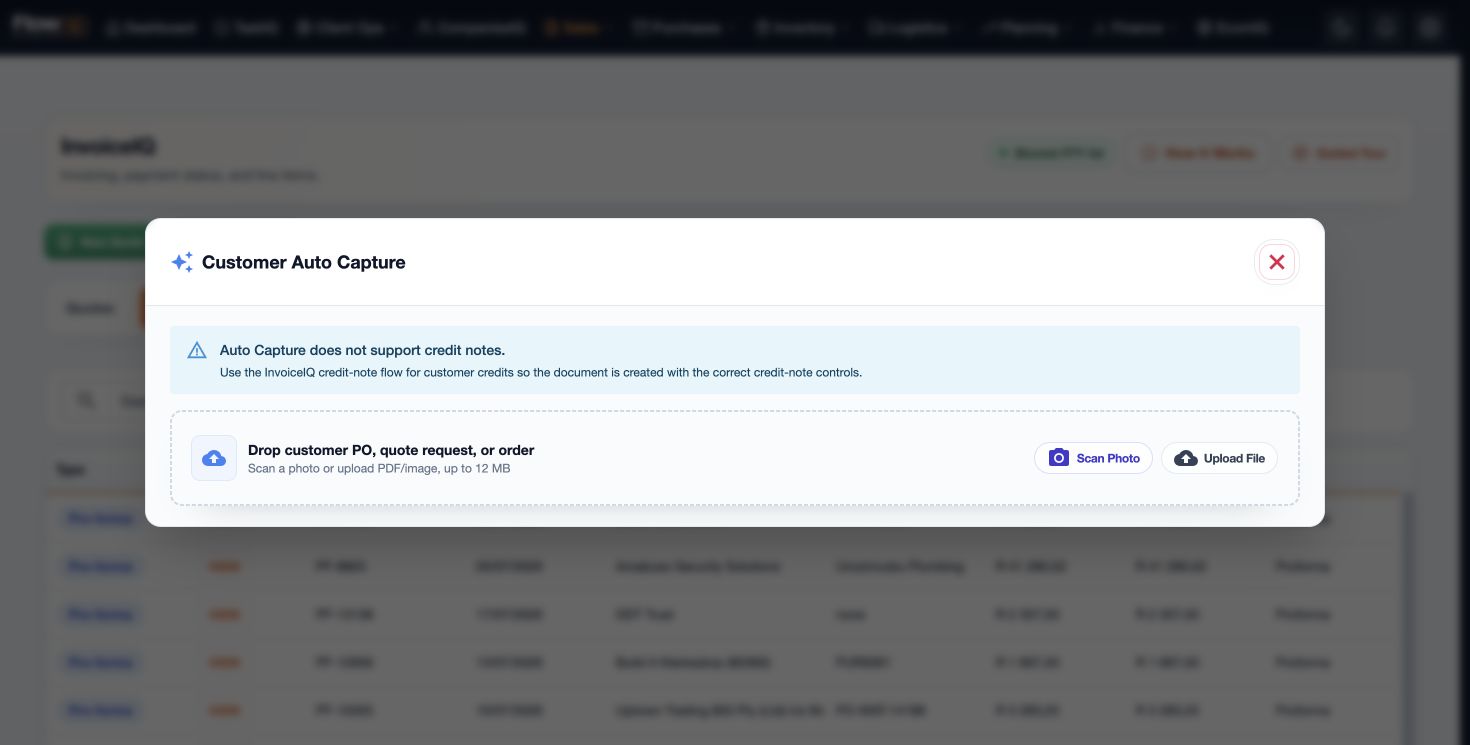
Capture customer orders, supplier documents, slips, cash invoices, import and freight documents, and sales voice notes while keeping a person in control.
- Less manual re-keying
- A safer email-to-draft workflow
- Reusable reviewed mappings
AI Auto CaptureConnected by FlowIQ
Why it matters
Teams reduce re-keying without allowing an email or model response to post a commercial document automatically.
FlowIQ keeps this workflow connected to the records, permissions, source documents, and downstream modules that give it operational meaning.
Capability
What AI Auto Capture gives your team.
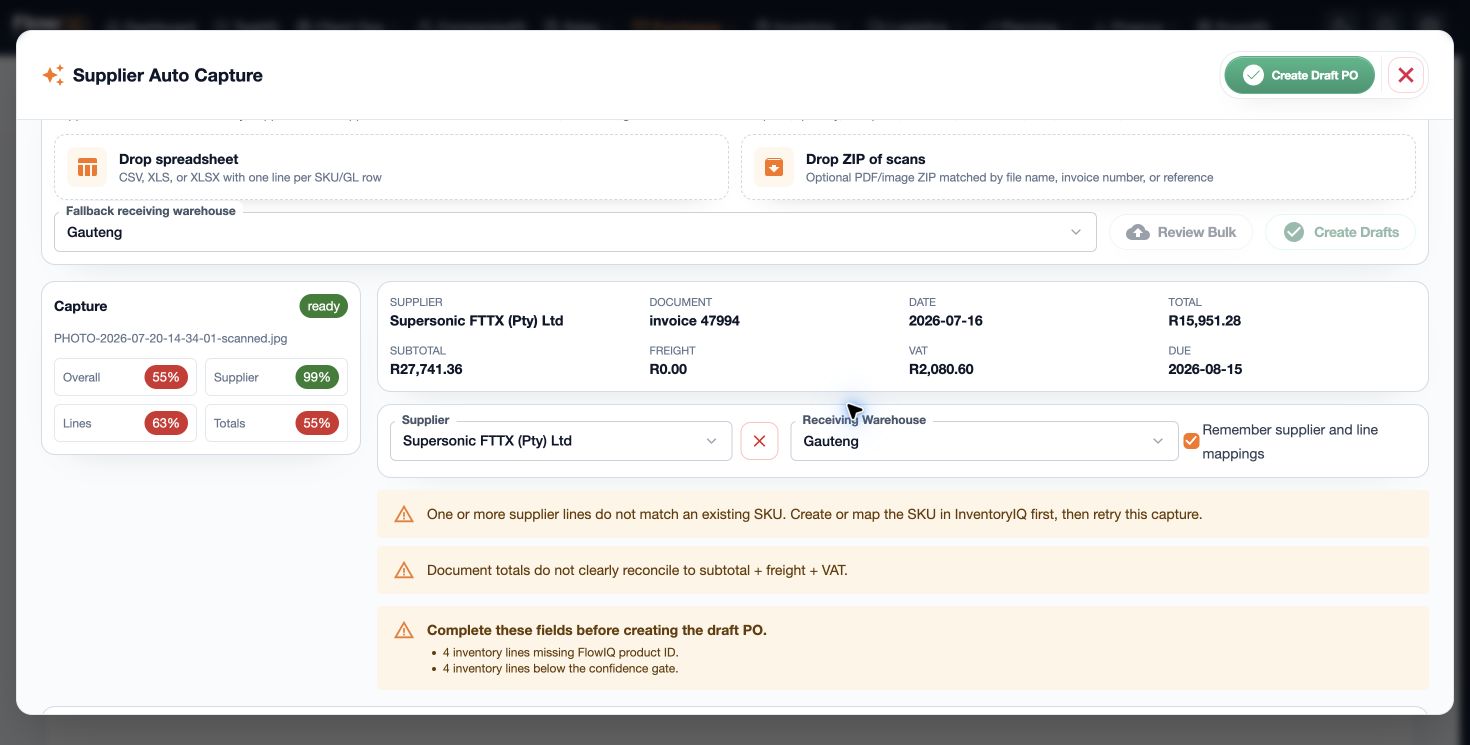
Attachment-level auto-split
Source-linked extraction and mapping
Explicit review before draft creation
Organization-scoped mapping memory
Pending-queue and bell notifications
The operating flow
A clear path from signal to controlled outcome.
Teams reduce re-keying without allowing an email or model response to post a commercial document automatically. The workflow stays understandable for the person doing the work and reviewable for the person accountable for the result.
- 01Receive or upload the sourceContext and ownership stay visible before the next step.
- 02Create one queue item per attachmentContext and ownership stay visible before the next step.
- 03Extract and propose mappingsContext and ownership stay visible before the next step.
- 04Review against the sourceContext and ownership stay visible before the next step.
- 05Create the approved draftThe approved result remains connected to its source and history.
Connected by design
AI Auto Capture does not live in another silo.
Capture customer orders, supplier documents, slips, cash invoices, import and freight documents, and sales voice notes while keeping a person in control. The same organization, user permissions, and operating records travel through the wider FlowIQ suite.
Clear answers
How the safe intake workflow works.
What does auto-split mean?
Each supported email attachment becomes its own independently reviewable queue item. A three-attachment email creates three items; FlowIQ does not silently split a multi-document PDF into guessed page ranges.
Does an incoming email create an order automatically?
No. Email receipt creates a source-linked review item. A user must check fields, map customer or supplier and products, then explicitly create the normal pro-forma or draft purchase order.
How are customer and supplier documents kept apart?
Use separate recipient aliases, or separate Google mailbox labels. FlowIQ follows the configured route and does not guess whether a document belongs in InvoiceIQ or PurchaseIQ.
How does FlowIQ keep the process safe?
Items are organization-scoped and deduplicated, source evidence remains available during review, uncertain mappings stay visible, and no commercial posting occurs from intake alone.
Works better together
Continue the operating story.
See the workflow with your team in mind
Build a practical FlowIQ rollout around the work you want to improve first.
We will map AI Auto Capture into the modules, data, and approvals your operation already relies on.